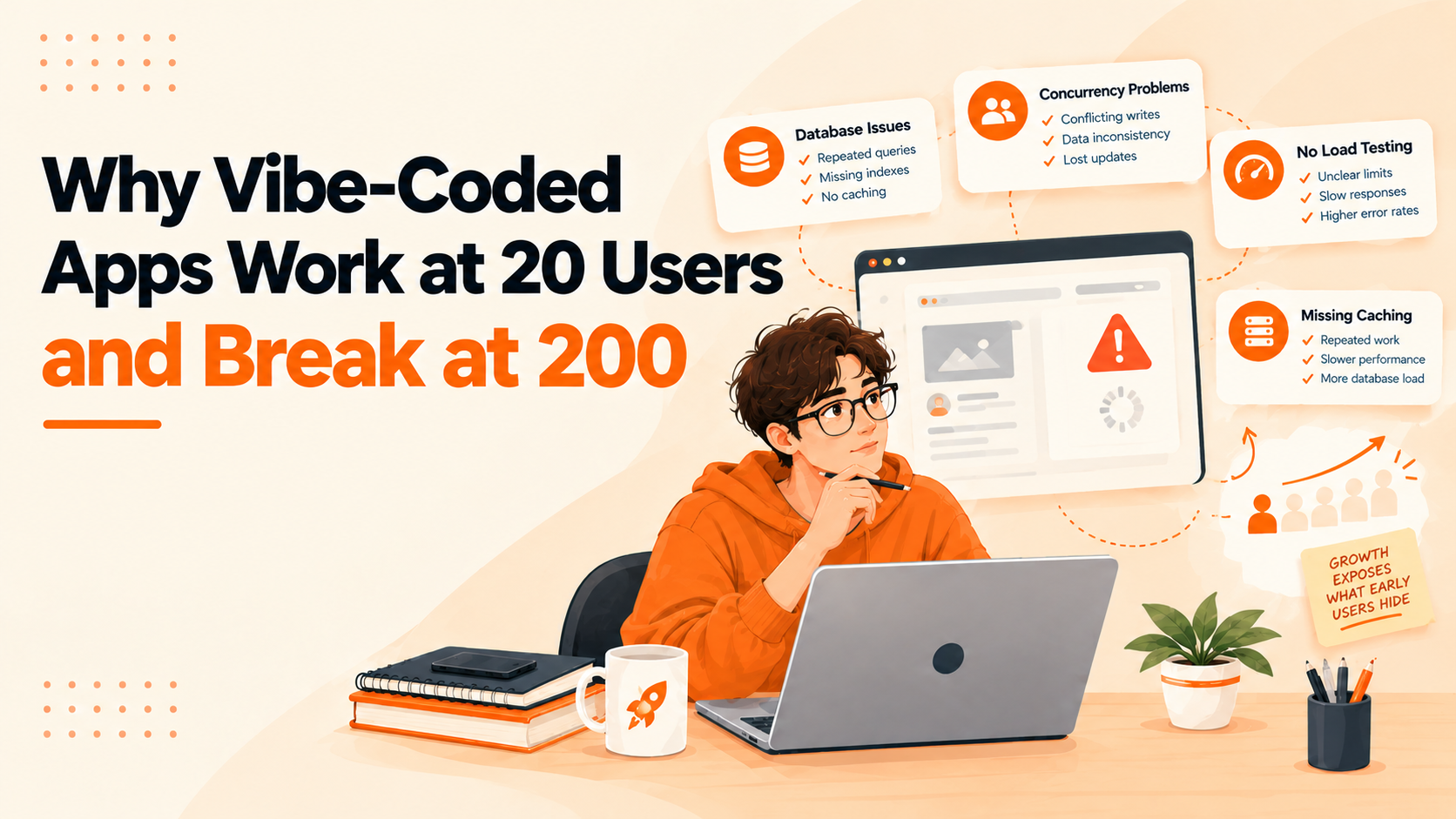
An app can work perfectly during testing and still struggle when real users start relying on it. Pages load, forms submit, and the main features behave as expected. Then the user base grows, requests pile up, and the same app starts producing slow responses, failed operations, or unexpected errors.
This is one of the challenges of vibe coding. AI tools make it easier to turn an idea into a working application without writing every line of code manually. Founders can build prototypes, test features, and launch products faster than before. But getting an app to work is different from preparing it to handle growing demand.
The problem is not that AI-generated code is automatically unreliable. It is that an application can appear stable while its underlying architecture remains untested under realistic workloads.
Understanding why vibe-coded apps struggle as users grow can help founders identify weaknesses early, before performance problems affect customers.
Why Vibe-Coded Apps Work With 20 Users
When an application has only 20 users, its workload may be relatively small. Database queries finish quickly, external APIs respond without noticeable delays, and the server has enough capacity to handle incoming requests.
Under these conditions, architectural weaknesses can remain hidden. For example, an AI-generated application might:
-
Fetch an entire database table when it only needs a few records.
-
Block incoming requests with unnecessary work instead of using efficient asynchronous processing where appropriate.
-
Repeat unnecessary calculations or make multiple API calls to load a single page.
-
Overlook error handling, concurrent requests, and database connection limits.
With a small dataset, an inefficient database query may finish quickly. As the database grows, the same query can become significantly slower. Similarly, a workflow that works correctly when two users submit information at nearly the same time may expose race conditions or resource limits when more users do the same.
A successful prototype proves that the main functionality works; it does not prove that the application can handle growth.
This distinction matters when using vibe coding to build a SaaS product. Early success should be treated as evidence that the idea can work, not as proof that the software is ready to scale. A well-planned MVP development approach helps founders validate product assumptions while making sensible technical decisions for future growth.
What Changes When Your App Reaches 200 Users?
Moving from 20 users to 200 users does not necessarily mean ten times the workload. The actual impact depends on how frequently people use the application, which features they access, and how many requests they generate simultaneously.
Consider a SaaS dashboard that retrieves account information, checks permissions, loads analytics, and generates reports. If each page visit triggers several database queries and external API requests, the total workload can increase quickly when many users access the dashboard together.
For example, suppose 200 users each trigger 10 database queries within a short period. That creates 2,000 queries to process. This illustrative scenario does not automatically mean the database will fail, but it shows how seemingly small operations can accumulate into a substantial workload.
The application may begin experiencing:
Slower response times: Users wait longer for pages, reports, and search results.
-
Database bottlenecks: Queries compete for limited database resources.
-
Failed requests: Servers or third-party services struggle to handle incoming traffic.
-
Resource exhaustion: CPU, memory, or database connection pools reach their limits.
-
Inconsistent behavior: Simultaneous updates expose problems that rarely appear during individual testing.
These problems are not exclusive to AI-built software. Traditionally developed applications can suffer from the same weaknesses.
The difference is that vibe coding can make it easy to produce working features without fully examining the architectural decisions behind them. When an app grows, those decisions become harder to ignore.
Common Scalability Problems in AI-Generated Apps
1. Inefficient Database Queries
Databases often become a major bottleneck when an application starts handling more users and larger amounts of data.
An AI-generated application might run repeated queries, retrieve unnecessary records, or lack indexes for frequently searched fields. It might also load every record into memory instead of retrieving data in manageable pages.
At 20 users, these choices may seem harmless. As usage grows, they can increase database load and slow down essential features.
Founders should check query execution times, inspect slow queries, review database indexes, and confirm that the application retrieves only the data it needs.
Adding more server capacity will not necessarily solve a database problem. If the underlying queries are inefficient, the bottleneck may remain.
2. API Rate Limits and External Dependencies
Modern applications often depend on payment gateways, authentication providers, AI APIs, email services, and other third-party systems. These dependencies can become a source of performance problems as usage increases.
A feature that makes one external request per user action might work well during testing. However, when more users access the application simultaneously, it may hit rate limits or experience longer response times.
Poor retry logic can make the situation worse. Common risks include:
-
Repeatedly retrying failed requests without appropriate limits or backoff.
-
Sending too many requests to third-party services during peak usage.
-
Delaying user-facing operations while waiting for external responses.
-
Failing to handle temporary service outages gracefully.
Developers can reduce these risks by setting timeouts, handling errors properly, applying controlled retry strategies, and caching responses when appropriate. Background jobs can also help with operations that do not need to finish before the user receives a response.
For more technical guidance, AWS explains how retry with backoff can improve resilience while reducing the risk of overwhelming a struggling service.
External dependencies should be treated as potential failure points, not assumed to be permanently available.
3. Weak Authentication and Data Handling
An application that works for a few test accounts may not have been thoroughly tested for concurrent sessions, permission checks, or data isolation. As the user base grows, these weaknesses can become more difficult to overlook.
For example, an AI-generated application might:
-
Rely on frontend restrictions to hide information instead of enforcing authorization on the server.
-
Fail to verify that a record belongs to the authenticated user before returning it.
-
Handle user sessions or permissions inconsistently.
-
Accept input without proper validation or expose sensitive credentials through poor secrets management.
These are security problems, not merely performance issues. They can become especially serious when a product starts serving more customers.
Founders should ensure that every request accessing private data is checked against appropriate server-side permissions. They should also review session handling, input validation, secrets management, and access controls before expanding their user base.
The OWASP Authorization Cheat Sheet provides practical guidance on enforcing permissions consistently and avoiding reliance on client-side access restrictions.
Scalability is not just about serving more requests; it also means protecting every user's data as the application grows.
4. Missing Load Testing and Error Handling
Testing an application by opening it in a browser and trying its main features is useful, but it does not show how the software behaves under sustained demand.
Without load testing, founders may not know how many concurrent requests the system can handle, which endpoints become slow first, or whether performance deteriorates over time.
A useful test should simulate realistic user behavior, including login, searching, saving data, generating reports, and accessing the features customers use most frequently.
Evaluate the results against defined performance targets. These might include acceptable response times, error rates, and resource utilization at a specific level of concurrent usage.
Load testing should also run within safe boundaries. Use an appropriate test environment so the process does not disrupt real customers or overwhelm third-party services.
If an application has never been tested under realistic demand, its capacity is an assumption rather than a measured result.
How AI-Generated Code Creates Technical Debt
Vibe coding can accelerate implementation, but rapid development can also introduce technical debt when teams accept code without sufficient review.
An AI tool may solve an immediate problem by duplicating existing logic, introducing unnecessary dependencies, or adding layers of conditional statements. A founder may accept the change because the feature works, even if the implementation makes future changes more difficult.
Over time, these decisions can lead to:
-
Tightly coupled components that are difficult to modify independently.
-
Inconsistent validation across different features.
-
Duplicated database operations and unnecessary code.
-
Unclear boundaries between application features.
-
Code that becomes harder to maintain, test, and extend.
The result is not necessarily an application that fails immediately. Instead, technical debt can gradually make development slower and future updates more difficult.
Technical debt in AI-generated code is best addressed through regular code reviews, automated tests, clear architectural boundaries, and documentation of important design decisions.
Founders do not need to inspect every line of code personally. However, they do need a process that checks whether the code is understandable, secure, maintainable, and appropriate for the product's expected workload.
How to Scale a Vibe-Coded App Before Problems Grow
Scaling does not always require rebuilding an application or moving to more complicated infrastructure. In many cases, the most effective approach is to identify the actual bottleneck and address it systematically.
Measure Performance Before Making Changes
Start by monitoring response times, error rates, database performance, CPU usage, memory consumption, and external API latency.
Use application logs and performance monitoring tools to identify which operations are slow and when failures occur. Avoid making architectural changes based only on assumptions.
Optimize the Database
Inspect slow queries, add appropriate indexes, paginate large result sets, and eliminate unnecessary database requests.
Review connection pooling and transaction handling as well. These changes can improve performance without requiring a complete rewrite.
Add Realistic Load Tests
Simulate expected traffic and test the features that generate the most work. Measure how the application performs at its current workload and at higher levels of demand.
Look beyond average response times. Error rates and unusually slow requests can reveal problems that averages conceal.
Improve Code Quality and Automated Testing
Review the parts of the codebase that handle authentication, payments, database writes, and other critical operations.
Add automated tests for important workflows and edge cases. Refactor duplicated or tightly coupled code when it makes future changes risky.
Scale Infrastructure Based on Evidence
Depending on the bottleneck, improvements might involve increasing server capacity, introducing background job processing, caching frequently requested data, or separating a resource-intensive operation from the main application.
A more complex architecture is not automatically a better architecture. Choose changes based on measured constraints and actual product requirements.
Together, these practices help founders improve the scalability of AI-generated code while keeping the application maintainable.
When to Refactor or Rebuild Your App
Not every performance issue justifies a rebuild. If a slow endpoint is caused by an inefficient query, fixing the query may be enough. If a background task blocks user requests, moving that task to a queue might solve the immediate problem.
Refactoring becomes more important when weaknesses are spread across the application. Warning signs include:
-
Repeated fixes that create new bugs.
-
Tightly coupled features that are difficult to change independently.
-
Missing automated tests.
-
Inconsistent permission checks.
-
Changes to one part of the application breaking another.
A rebuild may be justified when the existing architecture cannot reasonably support essential product requirements or when repairing it would be more risky and expensive than replacing it.
Before making that decision, founders should:
-
Assess the current codebase.
-
Identify the highest-risk components.
-
Estimate the work required to fix existing problems.
-
Compare the cost and risks of repairing the application with those of rebuilding it.
The goal is to fix the actual constraints rather than replace working software simply because it was built with AI tools.
Build for Growth, Not Just the First Demo
Vibe coding makes it easier to turn product ideas into working software. That speed is valuable, especially for startups that need to validate an idea before committing significant time and money.
But a working application is only the starting point. Database inefficiencies, weak error handling, untested concurrency, and accumulated technical debt can all become obstacles as more customers rely on the product.
The best approach is to validate early, measure performance, test realistic workloads, and improve the architecture as the product's requirements become clearer.
An app does not need enterprise-level infrastructure to serve 200 users. It needs an architecture suited to its workload, reliable handling of real-world conditions, and a development process that catches problems before customers do.
The goal is not to stop vibe coding. It is to make sure the speed of building does not come at the expense of the software's ability to grow.
FAQs
1. Why do vibe-coded apps fail at scale?
Vibe-coded apps can struggle at scale when they contain inefficient database queries, weak error handling, resource bottlenecks, or architecture that has not been tested under realistic workloads. These issues can exist in any application, but rapid development may leave them undiscovered until usage increases.
2. Can AI-generated code handle 200 or more users?
Yes. AI-generated code can support 200 users or substantially more when the application is designed, tested, and deployed appropriately. Actual capacity depends on workload, database performance, infrastructure, external dependencies, and how many users make requests simultaneously.
3. How do you make a vibe-coded app scalable?
Start with performance monitoring and load testing. Identify bottlenecks, optimize database queries, improve error handling, add automated tests, and scale infrastructure according to measured demand. Avoid unnecessary rewrites before identifying the underlying problem.
4. What are the most common performance problems in AI-built apps?
Common problems include inefficient database queries, excessive API requests, missing indexes, limited connection pools, unoptimized background tasks, and inadequate load testing. Monitoring helps determine which of these issues actually affect a particular application.
5. When should you refactor a vibe-coded application?
Refactor when duplicated logic, tightly coupled components, repeated bugs, or missing tests make the application difficult to maintain or extend. If the problems are isolated, targeted fixes may be enough. A complete rebuild should be considered only when the existing architecture cannot reasonably meet the product's requirements.
6. How do you load-test a vibe-coded app before launch?
Start by identifying the number of concurrent users and the key actions your application needs to support. Use a load-testing tool to simulate realistic workflows, such as logging in, searching, saving records, and generating reports. Monitor response times, error rates, CPU and memory usage, and database performance as the workload increases. Run tests in a controlled environment, then fix bottlenecks and repeat the tests to verify the improvements.
Need Help Preparing Your App for Growth?
If your application works today but struggles as more users come on board, a technical review can help identify performance bottlenecks, code-quality issues, and architectural risks before they become more expensive to fix.
Explore Multisyn's Application Maintenance and Support Services to get help assessing an existing application and planning its next stage of growth.